At any point during or after a simulation, you can open the CFD Agent chat panel to ask questions. The agent has full context of your setup, boundary conditions, convergence data, and results.
What you can ask
- Explain the solver selection and why a specific solver was chosen
- Suggest better boundary conditions for your flow setup
- Analyze residual behavior (oscillations, plateaus, divergence)
- Interpret pressure drops, velocity distributions, or temperature fields
- Compare results against expected values or correlations
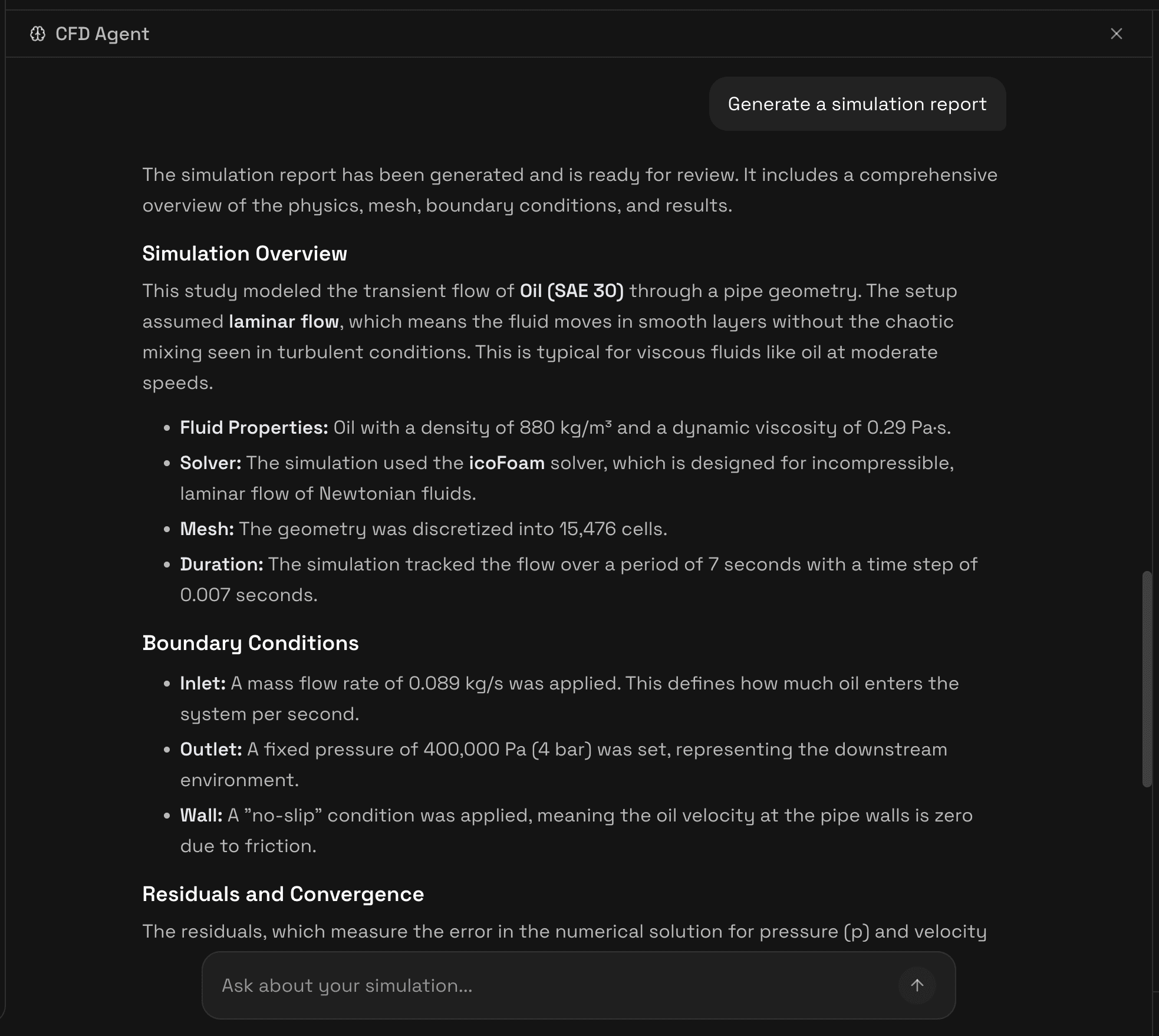
- Generate a full simulation report
Report generation
Click "Generate a simulation report" to produce a comprehensive summary of your simulation. The agent automatically captures screenshots of 3D field visualizations and convergence charts, then compiles a structured report.
The report includes:
- Simulation overview, geometry, fluid, solver, mesh cell count, simulation duration
- Fluid properties, density, viscosity, and any custom thermophysical configuration
- Boundary conditions, per-patch summary of applied types and values
- Residuals and convergence, initial vs. final residuals, convergence behavior analysis
- Field visualizations, captured 3D field screenshots with colormaps
- Key findings, agent interpretation of results and recommendations
The report is downloadable as a PDF.