The 3D Fields tab renders simulation results directly in the browser directly in the browser. You can select which field to visualize, choose a colormap, and step through time for transient simulations.
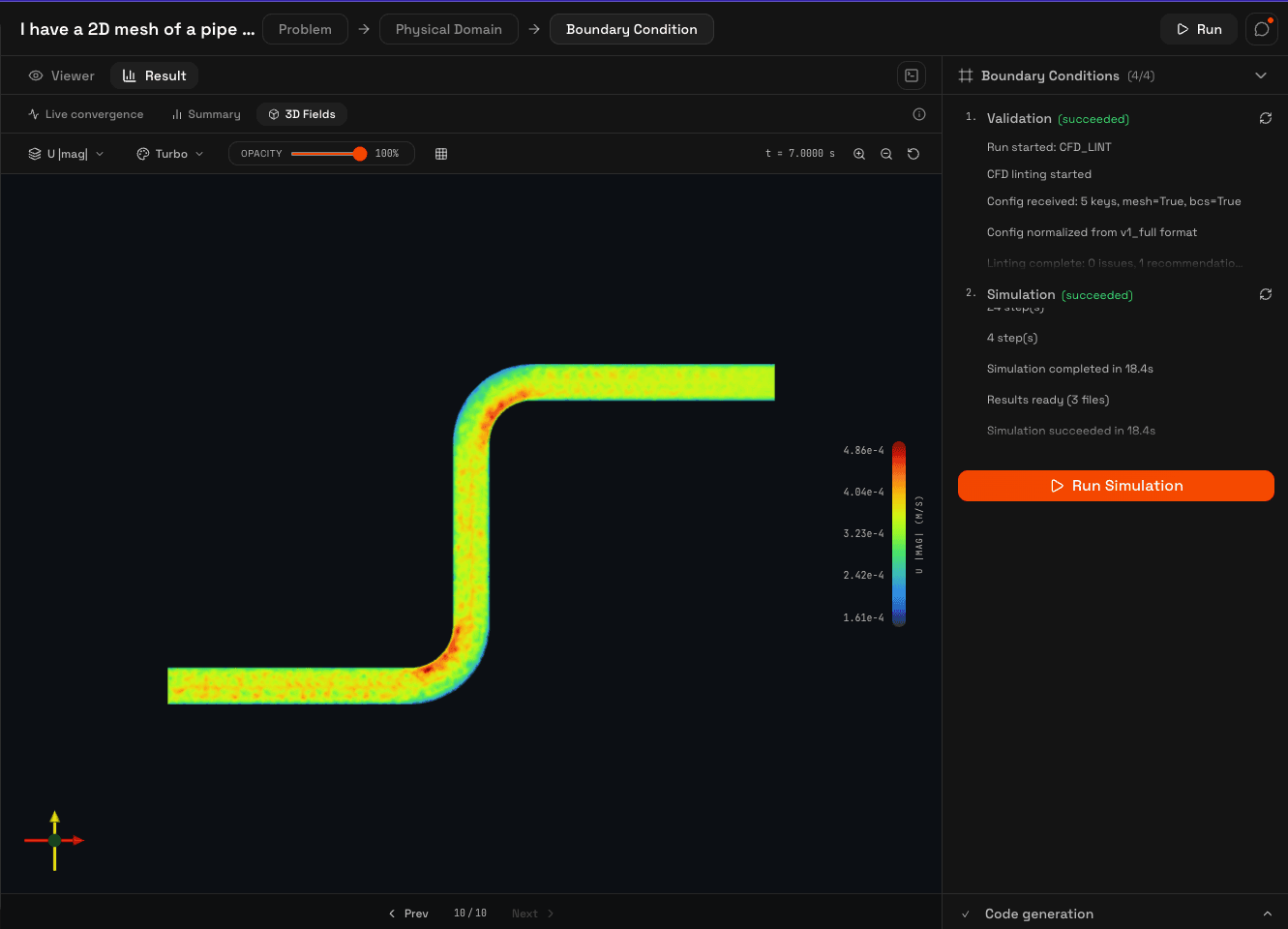
Controls
Field selector
Choose which scalar or vector field to render: velocity magnitude, pressure, temperature, turbulent kinetic energy, specific dissipation rate, or eddy viscosity. The available fields depend on the solver and turbulence model used.
Colormap
Switch between color scales: turbo (rainbow), viridis (perceptual), plasma, jet, and cool-warm (diverging). Each colormap shows a preview gradient in the selector.
Scalar bar
A color bar legend on the side of the viewport shows the mapping between colors and values, with min/max labels and the field unit (m/s, Pa, K, etc.).
Camera
Rotate by dragging, zoom with scroll, pan with right-click drag. The camera resets when switching between fields.
Time-step playback
For transient simulations, the 3D viewer includes playback controls: play, pause, and step forward/backward through saved time steps. The viewer caches up to 20 frames in memory for smooth playback.
Mesh viewer
Before running the simulation, the Viewer tab shows the uploaded mesh with color-coded patches. Each patch is rendered in a distinct color matching the boundary condition editor, so you can verify patch assignments visually before starting the run.